

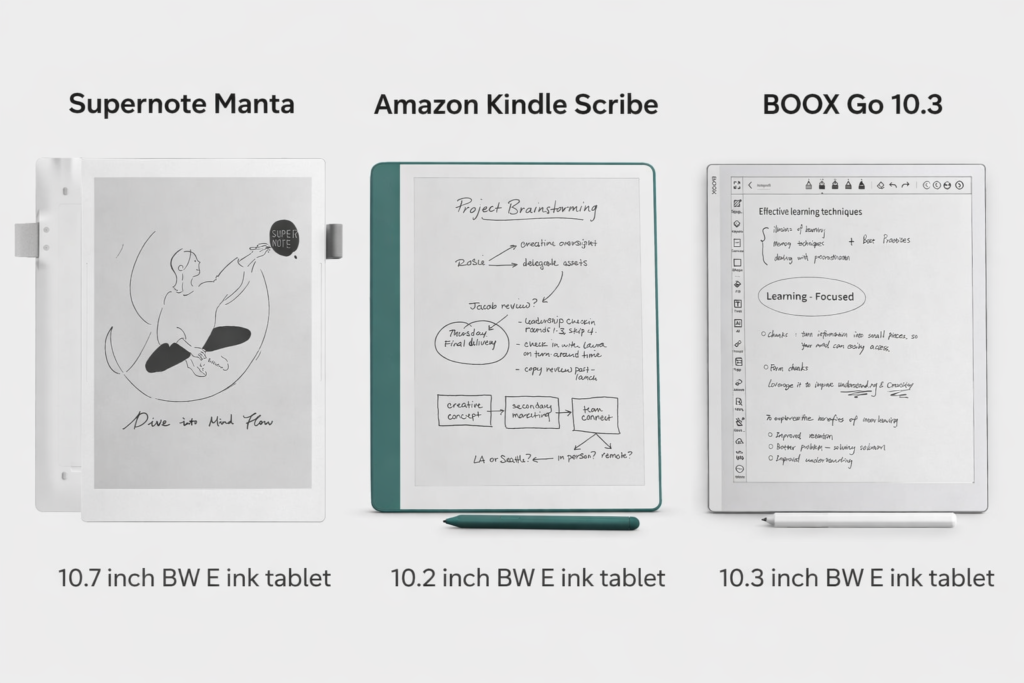
10-inch Paper-like Note-Taking E Ink Tablet Comparison
E Ink tablets have revolutionized reading, writing, and annotating digitally, offering a paper-like experience without the eye strain of traditional LCD or LED screens. For students, creators, and professionals seeking a larger 10-inch monochrome device for note-taking, three models stand out: BOOX Go 10.3, Supernote Manta, and Amazon Kindle Scribe. Each offers unique features, catering to different user needs. In this comparison, we’ll examine design, performance, writing experience, software, ecosystem, and value to help Canadian buyers choose the right E Ink tablet.
1. Comprehensive Comparison
| Feature | BOOX Go 10.3 | Supernote Manta | Kindle Scribe |
|---|---|---|---|
| Display Size | 10.3″ | 10.7″ | 10.2″ |
| Front Light | No | No | Yes (Warm Light) |
| Operating System | Android 12 | Chauvet — A specialized Android 11-based system designed for note-taking | Kindle OS |
| Third-Party Apps | Yes | No | No |
| PDF Support | Yes | Yes | Yes |
| Stylus Included | Yes (Pen Plus) | No (sold separately, e.g., LAMY EMR Pen) | Yes |
| Battery Capacity | 3,700 mAh | 3,600 mAh | ~3,800 mAh |
| Battery Life | Days to ~1 week (active use) | Several days up to ~1 week | Up to ~12 weeks reading / ~3 weeks writing |
| File Format Support | PDF, EPUB, EPUB3, AZW3, MOBI, TXT, DOC/DOCX, PPT/PPTX, CHM, RTF, HTML, CBR/CBZ, images | Note (.note), PDF, EPUB, Word, Text (.txt), PNG, JPG, BMP, WebP, CBZ, FB2 and XPS, integration with Kindle app | Kindle native: AZW3, AZW, KFX, TXT, PDF, MOBI/PRC (conversion may be needed) |
| Storage | 64 GB | 32 GB, expandable via microSD (up to 2 TB) | 16 GB / 32 GB / 64 GB |
| Price (CAD) | $531.99 | $630–$750 | $727–$782 (16/32/64 GB, Premium Pen) |
| Writing Experience | Smooth, balanced responsiveness; supports palm rejection; natural feel with Pen Plus; moderate latency | Ultra-low latency; paper-like feel; highly recommended for creators and detailed note-taking; supports FeelWrite 2 self-recovery soft film | Good for basic note-taking; limited stylus precision; suitable for annotations rather than long-form handwrit |
2. Design & Display
Feature | BOOX Go 10.3 | Supernote Manta | Kindle Scribe |
Resolution | 2480 × 1860 (300 PPI) | 1920 × 2560 (300 PPI) | 1880 × 2480 (300 PPI) |
Screen Type | Carta E Ink | Carta E Ink | Carta E Ink with warm front light |
Weight | 360 g | 430 g | 433 g |
Front Light | No | No | Yes (warm front light) |
Display Quality:
All three tablets feature high-resolution 300 PPI E Ink screens for a paper-like reading and note-taking experience.
- BOOX Go 10.3 (2480×1860): Sharp text and graphics with good contrast; excellent for reading and note-taking.
- Supernote Manta (1920×2560): Slightly taller aspect ratio; crisp enough for writing, annotating, and sketching.
- Kindle Scribe (1880×2480) with warm front light: High resolution keeps text and images sharp; warm front light makes long reading sessions more comfortable.
Build & Feel:
- BOOX Go 10.3 (360 g): Lightweight and easy to hold for extended use.
- Supernote Manta (430 g): Durable and solid; ideal for heavy annotation and sketching.
- Kindle Scribe (433 g): Minimalist, ergonomic design; slightly heavier but still comfortable.
3. Stylus & Writing Experience
Feature | BOOX Go 10.3 | Supernote Manta | Kindle Scribe |
Stylus Included | Yes (Pen Plus) | No (sold separately) | Yes (Basic or Premium) |
Latency | Low | Ultra Low | Low |
Writing Feel | Smooth | Exceptional | Smooth |
Palm Rejection | Yes | Yes | Yes |
Stylus Upgrade Option | BOOX Pen Pro 2 | LAMY Safari Vista EMR Pen | Tungsten |
Writing Film Support | No | Yes | No |
Stylus & Writing Experience
All three tablets support palm rejection and note-taking, but differ in stylus options and writing feel:
- Supernote Manta: Ultra-low latency with an exceptional, paper-like feel. Supports FeelWrite 2 Self-recovery Soft Film for a natural writing experience. Stylus sold separately (LAMY Safari Vista EMR Pen).
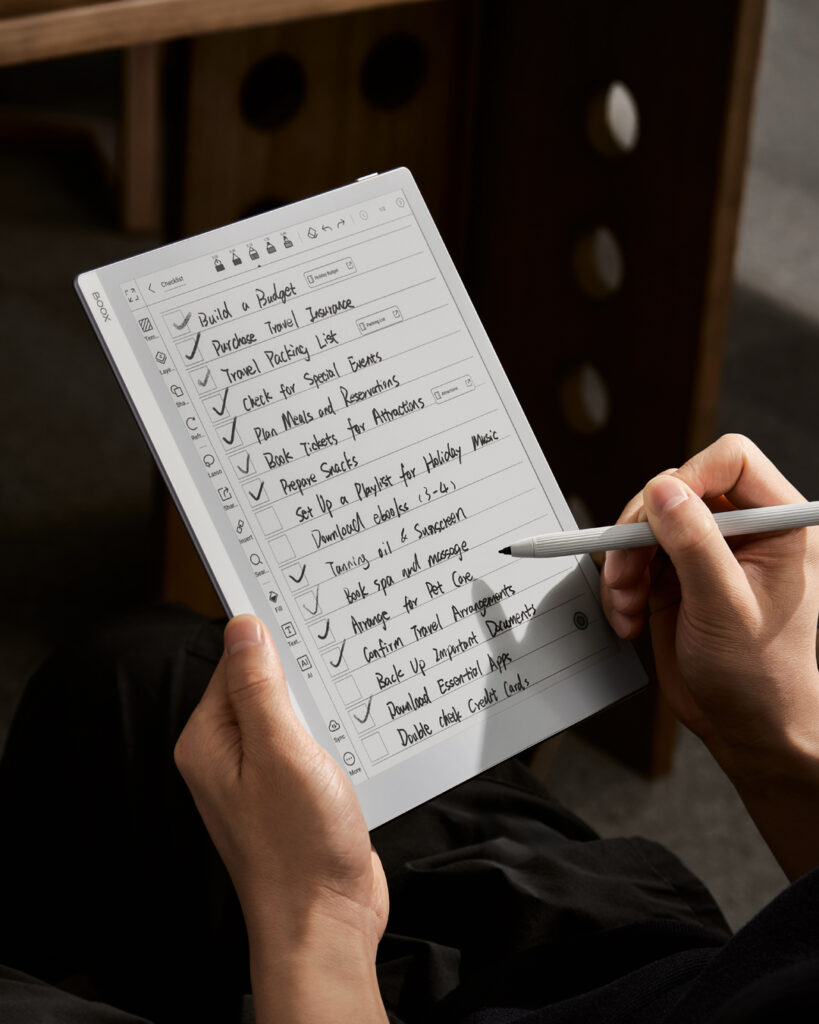
- BOOX Go 10.3: Smooth and balanced responsiveness; Pen Plus included out of the box, upgradeable to BOOX Pen Pro 2.
- Kindle Scribe: Smooth writing with low latency; included stylus can be upgraded to Premium for enhanced tilt and pressure sensitivity.
Note-Taking Comfort:
- Most natural handwriting and sketching: Supernote Manta
- Balanced choice for general note-taking: BOOX Go 10.3
- Best for Amazon users prioritizing reading with occasional notes: Kindle Scribe
4. Ecosystem & Compatibility
| Device | Ecosystem | Note Sync | File & App Compatibility | UI Language |
|---|---|---|---|---|
| BOOX Go 10.3 | Open system supporting Google apps and multiple cloud services | Notes can sync to Google Drive, Dropbox, OneDrive, or exported in PDF/PNG for cross-device access | Wide range of file formats supported | Multiple languages (English, French, Spanish, German, Chinese, etc.) |
| Supernote Manta | Optimized closed ecosystem focused on productivity | Notes sync seamlessly via Supernote Cloud; supports structured notebook workflows and PDF export | Limited to Supernote apps, but strong note-taking features | English, Japanese, Chinese (Simplified & Traditional) |
| Kindle Scribe | Amazon ecosystem | Notes sync automatically via Amazon Drive and Kindle library | Best within Amazon apps; limited support outside Amazon ecosystem | Multiple languages (English, French, German, Spanish, Italian, Japanese, etc.) |
Recommendation
User Type | Recommended Device |
Creators, Sketchers | Supernote Manta |
Students, General Note-Takers | BOOX Go 10.3 |
Avid Readers & Amazon Users | Kindle Scribe |
Final Thoughts:
For Canadians seeking a 10-inch paper-like E Ink tablet, each device offers distinct advantages: Supernote Manta provides the ultimate writing experience, BOOX Go 10.3 is a budget-friendly option that balances versatility and value with Android flexibility, and Kindle Scribe excels for Amazon ecosystem users who prioritize reading. Choosing the right device depends on whether your focus is writing, reading, or a mix of both.
Whether you’re a student, professional, or creative, investing in one of these tablets can transform how you read, write, and annotate digitally, with less eye strain and more paper-like satisfaction.
