

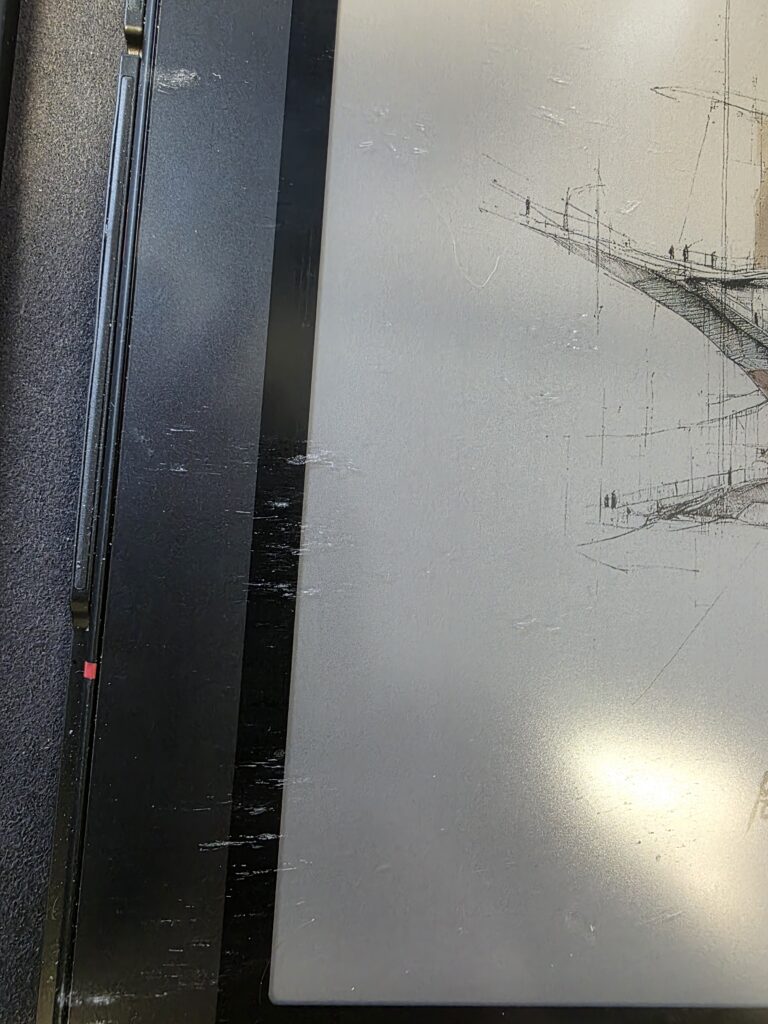
E Ink tablets are designed for productivity and portability, especially when paired with a keyboard case. However, some users may notice scratches appearing on their device after transport. This guide explains why it happens and how to prevent it.
1. Why Scratches Can Occur
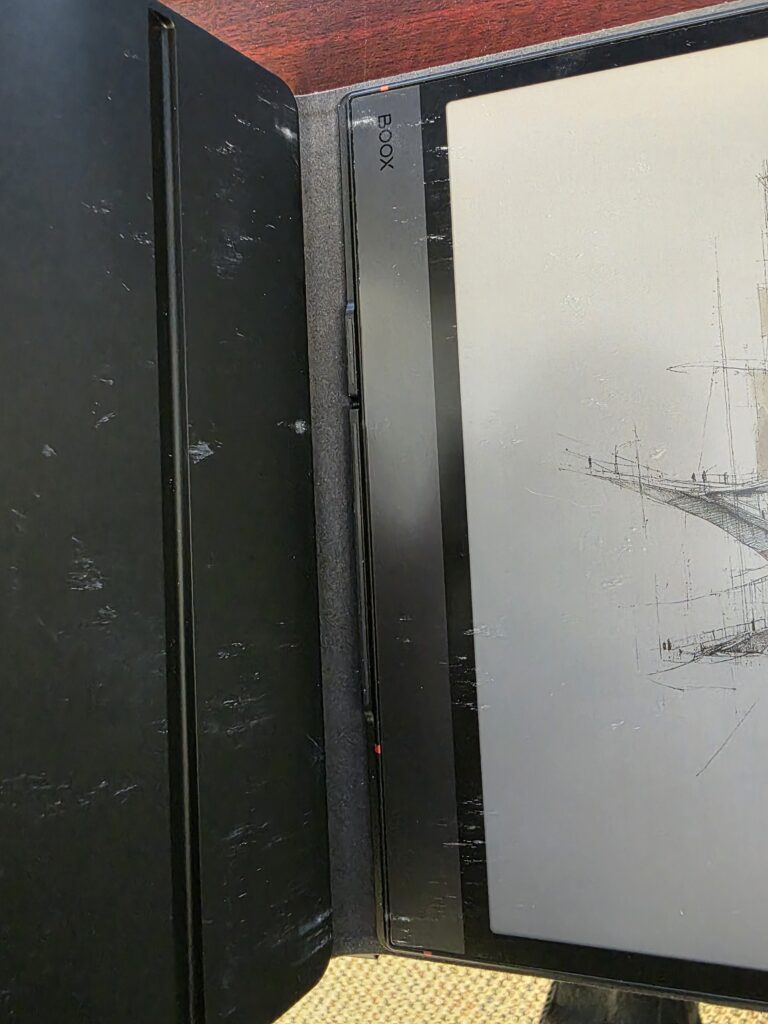
Scratches between the tablet and keyboard case usually happen during transportation rather than normal use. Here are the main causes:
Loose Positioning Inside the Case
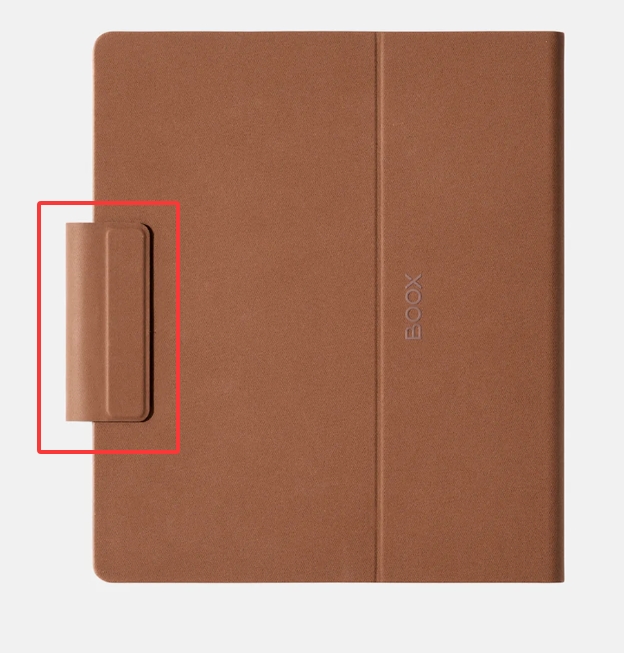
If the device and keyboard case are carried together without securing the magnetic flap properly, they may not stay firmly in place.
As a result:
- The tablet and keyboard can shift inside the case
- The leather surface and keyboard may rub against the screen or body
- Repeated friction during movement can cause visible scratches
Foreign Particles Between Surfaces
Another common issue is small debris getting trapped between the keyboard and the tablet:
- Dust, like particles, or tiny hard objects
- Sharp debris (e.g., crumbs, grit, or metal fragments)
When pressure is applied during transport (e.g., in a bag), these particles can:
- Scratch both the screen and the keyboard surface
- Cause deeper or more noticeable damage over time
2. How to Prevent Scratches
Fortunately, preventing scratches is simple with a few good habits:
Option 1: Store Them Separately (Recommended)
When you are not actively using the keyboard case:
- Carry the tablet and keyboard separately
- This completely eliminates friction between the two surfaces
This is the safest method, especially for daily commuting.
Option 2: Secure the Magnetic Flap Properly
If you prefer to carry them together:
- Always ensure the magnetic flap is correctly positioned
- Make sure it firmly holds both the tablet and keyboard in place
This helps:
- Prevent movement inside the case
- Reduce friction and contact damage
Option 3: Keep the Interior Clean
Before closing the case:
- Check for dust or small particles
- Wipe surfaces if needed
Even tiny debris can cause scratches under pressure.
BOOX Models That Support Keyboard Cases
This guidance is especially important for the following BOOX models that support keyboard accessories:
These devices are designed for productivity, but their larger screens make proper handling during transport even more important.
As the official Canadian partner of BOOX, Einktab is committed to helping customers get the best experience from their E Ink tablets.
Scratches are not typically caused by defects, but by movement and friction during transport, especially when a keyboard case is not secured properly. By ensuring the magnetic flap is in place or storing the keyboard separately, you can keep your BOOX device in excellent condition.
For users across Canada, where devices are often carried daily for work, study, or travel, these simple habits can go a long way in protecting your investment and maintaining the premium quality of your E Ink screen.
