

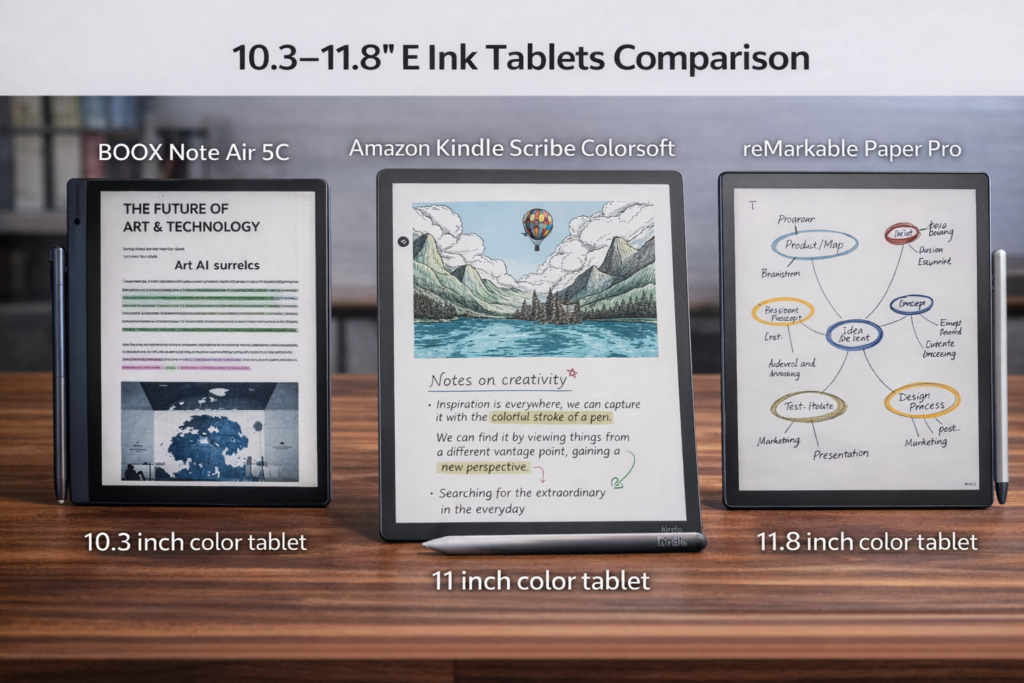
10.3″ to 11.8″ E Ink tablets represent the most common size range for portable digital note-taking and reading devices, striking a balance between screen real estate and portability. These tablets typically support stylus input, making them ideal for annotation, sketching, and productivity tasks. Among the many options available, the BOOX Note Air 5C, Amazon Kindle Scribe Colorsoft, and reMarkable Paper Pro stand out as three of the most popular choices for users seeking high-quality E Ink experiences. In the following paragraphs, we provide a glance comparison of these tablets across key features, highlighting their display technology, note-taking capabilities, connectivity, and overall workflow support.
Glance Comparison: 10.3″–11.8″ E Ink Tablets
Feature | BOOX Note Air 5C | Amazon Kindle Scribe Colorsoft | reMarkable Paper Pro |
Screen Size | 10.3″ | 11.0″ | 11.8″ |
Screen Type | E Ink Kaleido 3 (Color) | Color E Ink | E Ink Canvas Color |
Touch Screen | Yes (finger + stylus) | Yes (finger + stylus) | Yes (finger + stylus) |
Front Light | Yes | Yes | Yes |
Waterproof | No | No | No |
File Support | PDF, EPUB, MOBI, AZW3, DOC/DOCX, PPT, TXT, CBR/CBZ, images (plus Android apps) | PDF, Kindle formats, Send to Kindle | PDF, EPUB (import), PNG/SVG export |
Color | Yes (Kaleido 3) | Yes (soft color) | Yes (Canvas Color) |
Note Taking / Annotation | Stylus included | Stylus included | Stylus included |
Library Access | Libby, Google Play, Kindle app, Kobo app, cloud services | Amazon Kindle Store | Local upload + reMarkable Cloud |
Supported Languages | Multilingual (Android) | Multiple UI & book languages | English, German (menu language only) |
Storage | 64 GB + microSD support | 32 / 64 GB | 64 GB |
Keyboard Support | Yes (Official) | No | Yes (official) |
System / OS | Android 15 | Kindle OS | reMarkable OS |
Workflow / Productivity | Full Android apps, cloud sync, multi-format, multitasking; direct Google Drive, OneDrive, Dropbox integration, Onyx Cloud sync | Seamless Amazon ecosystem, cloud sync via Kindle; import documents from Google Drive & OneDrive (copy only) | Focused on writing & markup, manual import/export with Google Drive, Dropbox, OneDrive, limited app support |
Battery Capacity | ~3,700 mAh | Not listed (up to 8 weeks typical use) | ~5,030 mAh |
Approx. Price (CAD) | ~$699.99 | ~$882–$951.98 | ~$929 |
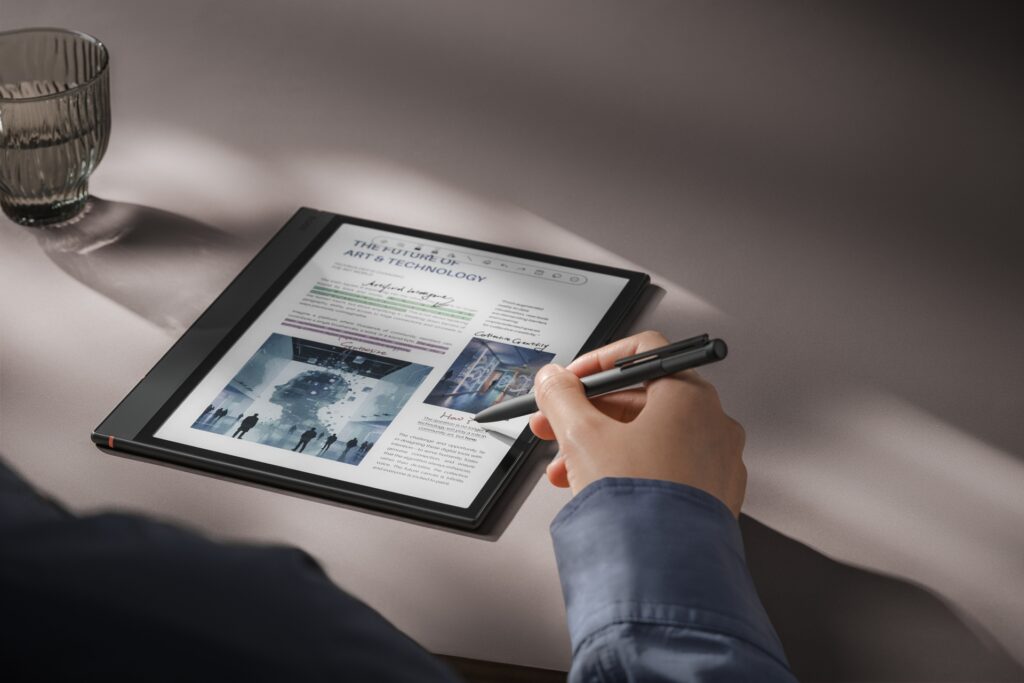
BOOX Note Air 5C – Versatile Android & Multitasking
The BOOX Note Air 5C is designed for users who want a full Android experience on an E Ink tablet. Its 10.3-inch E Ink Kaleido 3 color display supports a wide range of formats including PDF, EPUB, MOBI, DOC/DOCX, PPT, TXT, and even Android apps—functionality that Kindle Scribe and reMarkable cannot match.
Unique Features:
- Full Android 15 OS with BOOX launcher: Install apps, multitask, and customize workflows.
- Cloud & productivity integration: Supports Google Drive, Microsoft OneDrive, Dropbox, and Onyx Cloud sync directly, unlike Kindle or reMarkable.
- MicroSD support: Expandable storage beyond 64 GB.
- Keyboard support: Official keyboard accessory allows for full typing functionality.
- Multi-format file handling: Handles almost any document type and image format.
Other features include a front light, touch + stylus input, note-taking, and a 3,700 mAh battery. Priced around $699.99 CAD, it is the most versatile for productivity and multimedia use among the three.
Amazon Kindle Scribe Colorsoft – Seamless Reading Experience
The Kindle Scribe Colorsoft is optimized for users who want the best reading experience and tight integration with Amazon’s ecosystem. It features an 11-inch color E Ink screen with soft color display, supporting Kindle formats and PDFs, making it ideal for avid readers.
Unique Features:
- Seamless Kindle Store access: Direct access to millions of e-books and documents.
- Optimized Kindle ecosystem: Automatic sync, cloud storage, and “Send to Kindle” support for document import.
- Minimal learning curve: Works out-of-the-box without needing app installation.
It also supports stylus annotation and front light for reading in low-light conditions. While storage is limited to 32 GB or 64 GB and keyboard support is unavailable, the Kindle Scribe excels in reading-focused functionality, with a long battery life of up to 8 weeks typical use.
reMarkable Paper Pro – Focused Writing & Markup
The reMarkable Paper Pro is tailored for users who prioritize writing, sketching, and annotation on a distraction-free platform. Its 11.8-inch E Ink Canvas Color display gives ample space for notes, sketches, and documents.
Unique Features:
- Highly focused writing environment: Minimal OS distractions, designed purely for note-taking and markup.
- Manual cloud import/export: Supports Google Drive, Dropbox, and OneDrive integration for document management.
- Large screen real estate: The 11.8-inch display is bigger than the other two, ideal for writing and drawing.
It also includes stylus support, keyboard compatibility, and a 5,030 mAh battery for extended use. Unlike BOOX or Kindle, the reMarkable Paper Pro is not designed for apps or extensive multitasking, making it a highly specialized device for writers, artists, and note-focused users.
Overall, 10.3″–11.8″ E Ink tablets strike an ideal balance between portability and productivity. The BOOX Note Air 5C suits users who want a flexible, app-driven workflow, the Kindle Scribe Colorsoft is best for immersive reading within Amazon’s ecosystem, and the reMarkable Paper Pro excels at focused writing and annotation.
| Tablet | Best For | Strength |
|---|---|---|
| BOOX Note Air 5C | Versatile workflow | Flexible apps, multitasking |
| Kindle Scribe Colorsoft | Reading | Immersive Amazon reading |
| reMarkable Paper Pro | Writing & annotation | Distraction-free, natural note-taking |
The best choice depends on whether you prioritize versatility, reading, or distraction-free note-taking.

I have a reMarkable Paper Pro, and I’m here to tell you that it’s horrible for artists. The tools provided are very basic, zooming in and out of sketches induces horrible lag, and it’s a faff to get your images into another package on a more-capable device. The latter applies to notes as well; the OneDrive integration is so limited that you can’t even create a folder while saving something.
I’m all for a distraction-free environment, but it’s too basic for me, and loading up large and complex documents is mind-numbingly slow. It’s nice to write on, but if you want to retain the ability to search handwritten notes and maintain cloud ‘integration’ (so far as it goes), you’re on the hook for £3.99 a month subscription.
It’s a premium-feel device with an excellent screen, awful internals and an extremely limited feature set.
Hi There,
Thank you for sharing your feedback!
If you’re looking for an E Ink tablet with seamless OneDrive integration and no subscription, the BOOX Note Air 6C could be a good choice.
I hate remarkable, the pro is nice to write on, but the internal hardware is so bad for the price point, it was bad from the get go and got progressively worse, after 8 months it wasn’t even useable. It had so bad ghosting ( changed to a new page and pen strokes would still be visible from the previous page). I tried getting a replacement as I have 3 year warranty, there is no phone number for the company, they approved the warrant asking for me to return the one not working- and got no replacement sent back yet. I had to initiate warranty through there chat bots- than wait weeks for approval, than they are now holding my table hostage with no response or replacement sent to me. There is not a phone to try and trouble shoot with. For this reason I would put the remarkable st the bottom of my list for tech and customer service.
Hi there,
Thank you for sharing your feedback.
It appears that you purchased the device through reMarkable website, which may have shipped it to you from overseas. As a result, the after-sales service may not be as responsive or timely as that provided by a local retailer.
You may need to check whether it has a retailer in Canada whom you can contact for assistance.