

Inkposter
Inkposter — E ink Art Photo Frame
InkPoster is a Digital Art Poster with color ePaper screens created to display static art in full color and gallery-level quality. InkPosters’ screens are reflective, ensuring a paper-like look without backlight and glare. These posters are battery-powered, cordless, and can operate for up to 1 year on a single charge depending on usage. The InkPoster App enables wireless content management and provides access to a curated collection of thousands of artworks. InkPoster is developed by PocketBook, a Swiss company with decades of experience in ePaper display technology.
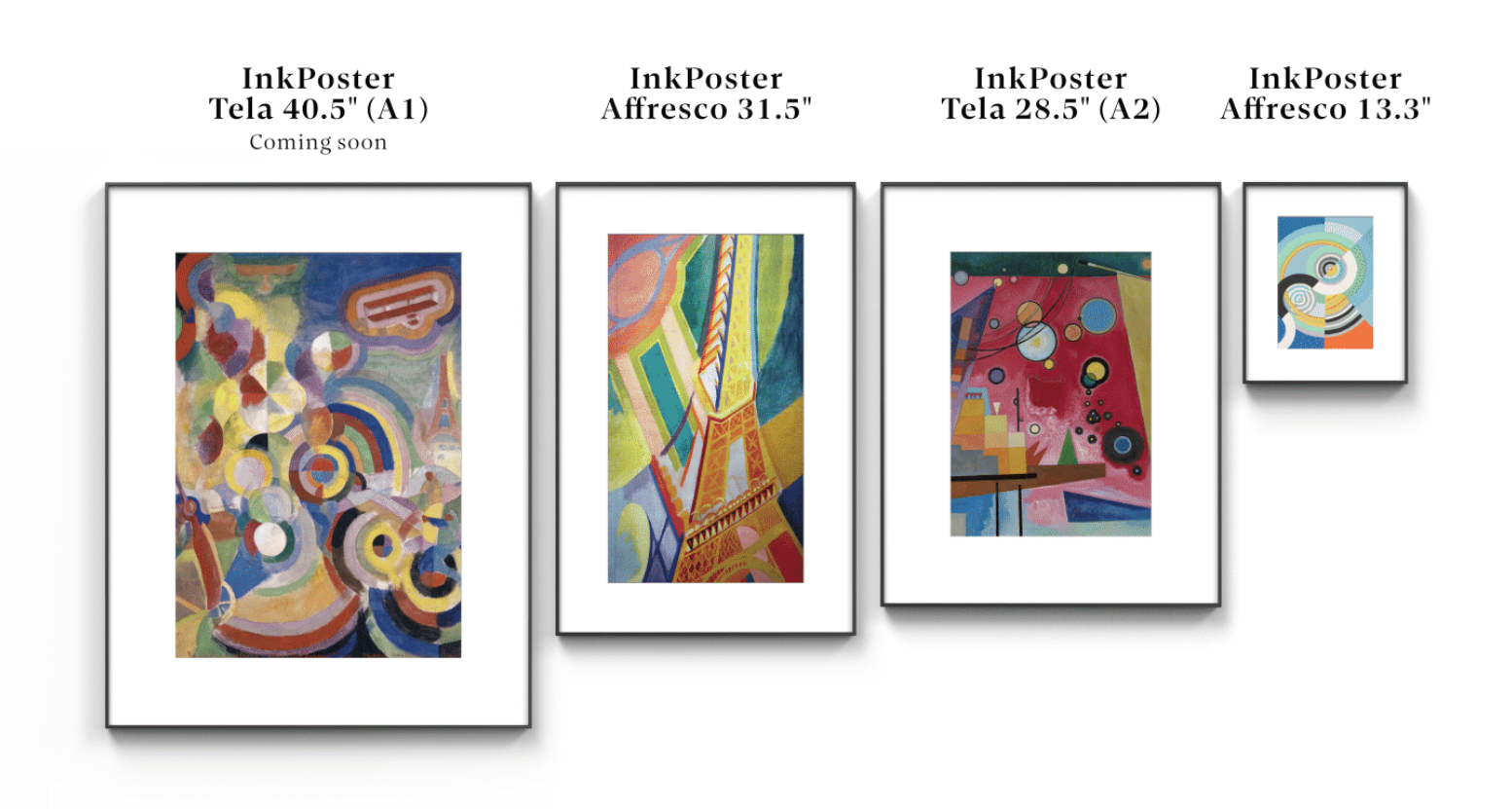
Key Features
- Paper-Like E-Ink Display – Enjoy a natural, paper-like viewing experience with zero glow or glare, even in direct sunlight.
- Authentic Artwork Experience – Specialized contrast rendering makes digital artwork look remarkably close to traditional fine-art prints.
- Extensive Artwork Library – Access hand-selected, licensed collections with up to 2,000 artworks, or display your own personal photos.
- Up to 1 Year Battery Life – Ultra-low-power E-Ink technology consumes energy only when the displayed image changes.
- Zero-Power Display Mode – When powered off, the artwork remains visible thanks to E-Ink’s bistable technology, consuming no power.
- Truly Cordless Design – No hanging cables or nearby power outlets required, giving you greater freedom to place Inkposter anywhere on your wall.
- Designed for Any Room – Combines the appearance of traditional paper art with modern E-Ink technology for a clean, distraction-free aesthetic.
Buy InkPoster from its Canadian partner Einktab, and enjoy bigger Ink Art Frames with no international shipping, plus 1-year local warranty and support in Canada
Showing all 2 resultsSorted by latest

FAQ
1. What is InkPoster?
InkPoster is a Digital Art Poster with color ePaper screens created to display static art in full color and gallery-level quality. InkPosters’ screens are reflective, ensuring a paper-like look without backlight and glare. These posters are battery-powered, cordless, and can operate for up to 1 year on a single charge depending on usage. The InkPoster App enables wireless content management and provides access to a curated collection of thousands of artworks. InkPoster is developed by PocketBook, a Swiss company with decades of experience in ePaper display technology.
2. How is InkPoster different from photo-frames and Art TVs?
Unlike photo frames and art TVs (which use backlit LCD/OLED/other panels), InkPoster uses an e-paper screen, which:Uses power only when the image changes. Doesn’t require backlight and doesn’t emit harmful Blue Light. Is glare-free and paper-like, looking like real printed art rather than a screen. InkPoster is also:Cordless and wireless. Completely silent and doesn’t emit heat.
3. Where can I use InkPoster?
You can use it in homes, galleries, hotels, offices, restaurants, and retail spaces. Its cordless design makes it ideal for locations where visible wiring is undesirable. And its health-conscious approach makes InkPoster a safe and sustainable solution for any living space, even bedrooms or children’s rooms.
4. How long does InkPoster's battery last?
The battery can last up to a year on a single charge, depending on how frequently you update the image.
5. Does InkPoster need constant power connection?
No, InkPoster is cordless and battery-powered. Power is only needed when changing an image, that’s why it works for up to a year on a single charge.
6. Does InkPoster have a backlight (and does it need a backlight)?
InkPoster does not need a backlight to display paper-like art in a gallery-level quality. It uses reflective e-paper technology, making it look like traditional printed art. No backlight also makes InkPoster a sustainable and health-conscious solution that emits no harmful Blue Light, has no heat emissions (especially when it is used in Power-Off mode), and is completely silent.
7. Where can users take the art content for InkPoster?
InkPoster provides access to thousands of curated artworks via the InkPoster App, which can be downloaded at the App Store or Google Play. You can also upload and display your own photographs or images.
8. Can I display my own pictures on InkPoster?
Yes, via the InkPoster App, you can upload and display images from your personal gallery.
9. Do I have to crop/resize my pictures to make them fit InkPoster’s screen size?
InkPoster App offers convenient and easy-to-use adjustment tools to make your images match the aspect ratio of the device, depending on the device’s orientation mode - portrait or landscape.
10. Why does the process of image appearing on the screen take longer than on LCD/OLED/QLED devices or E Ink e-readers?
InkPoster uses a full-color ePaper technology. Unlike LCD or OLED, which update pixels instantly using light, E Ink relies on moving charged pigment particles to form an image — a slower mechanical process.Aligning millions of color e-ink microcapsules for accurate art reproduction is called “ink-printing”. You may see it as flickering while selected art is appearing on the screen. It may take 10-20 seconds.
11. What is “ink-printing”
At the core of every InkPoster's ePaper screen are millions of microcapsules filled with color pigments. When an electric field is applied, these pigments rise to the surface to form vibrant, lifelike images.This process is called “ink-printing”, you may see it as flickering while selected art is appearing on the screen. It may take 10-20 seconds.
12. Can I replace the battery of InkPoster myself?
As of now, the battery is not user-replaceable. The battery servicing or replacement — if needed — should be done by the certified service partners.
13. May I display both black-and-white and color content?
Yes, InkPoster ensures gallery-level quality of full-color and monochrome (black-and-white) images. InkPoster’s ePaper screen supports about 60,000 colors.
14. Can I use it in both vertical and horizontal orientation?
Yes, the device supports portrait and landscape modes, depending on how you mount it.
15. Can I control my InkPoster remotely?
Yes, you can change artworks on your InkPoster remotely. Here is how to do it:Ensure Wi-Fi on your InkPoster is switched-on. In the InkPoster App, set the “Sync Interval.” When you're away from your device (just next door or in another country), select new art and send it to your InkPoster. Based on the chosen sync interval, the device will receive and update the artwork.